1
High-value prospects
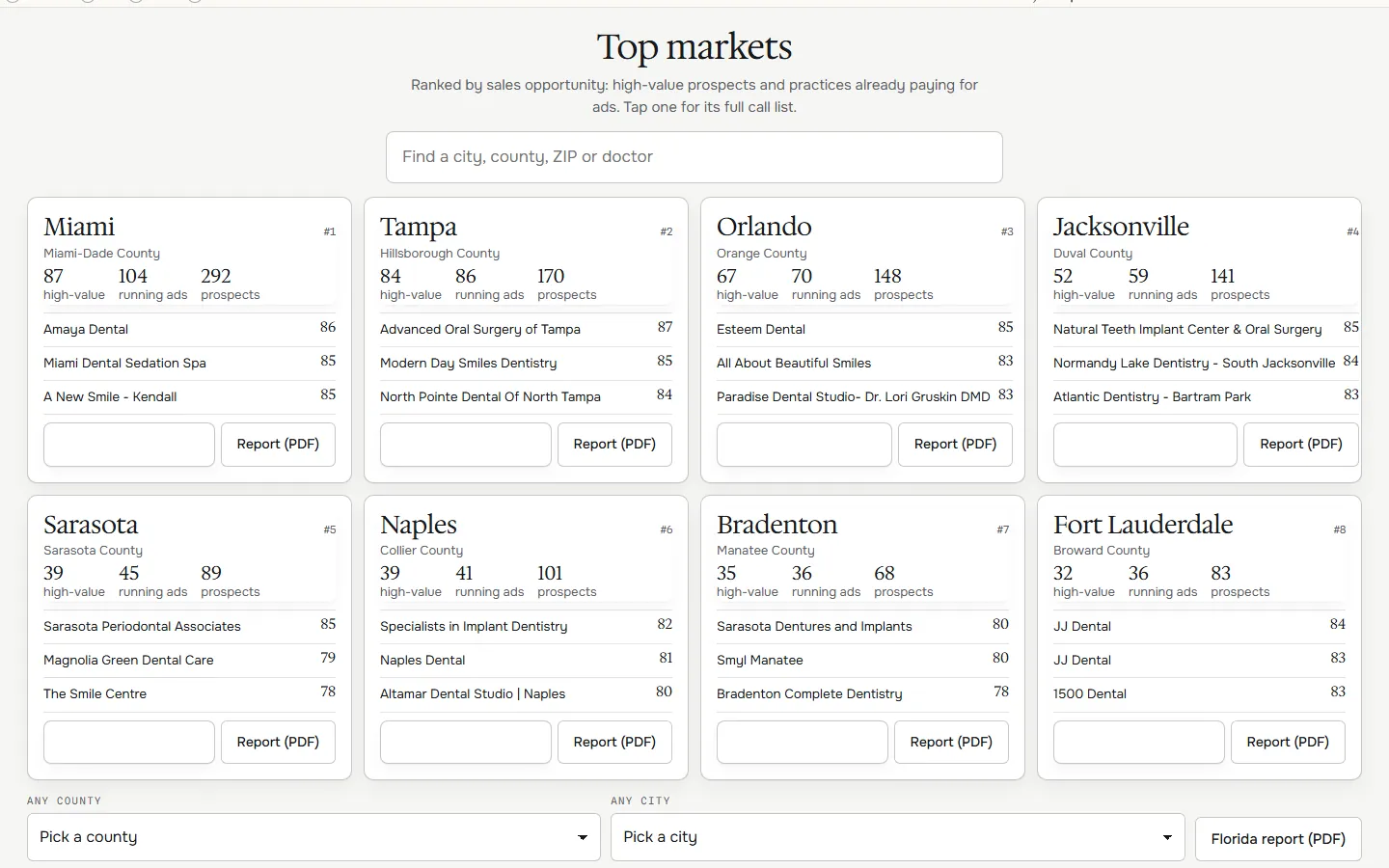
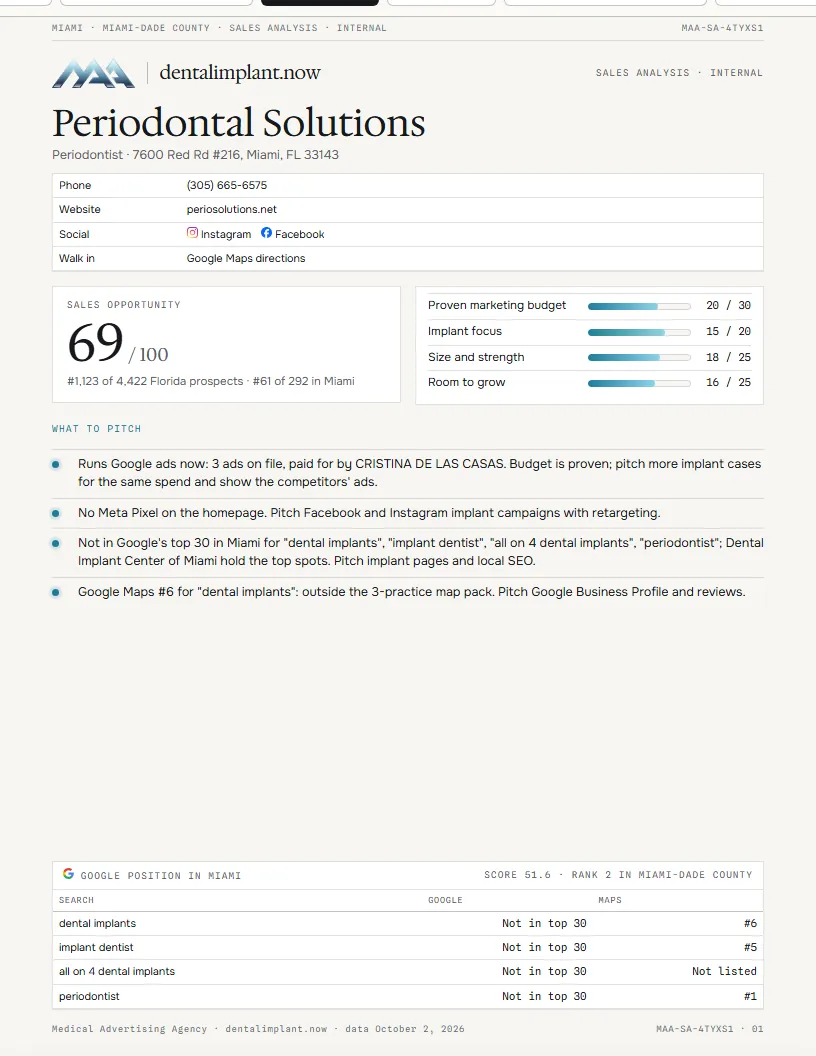
Every Florida implant practice carries a sales opportunity from 0 to 100. The call lists, top markets, counties and hot prospects sort by it.
| Part | Points | What earns them |
|---|---|---|
| Proven marketing budget | 30 | Google ads running now, Google ads on file, a Meta Pixel or a Google Ads tag on the website |
| Implant focus | 20 | Periodontist, oral surgeon, implant dentist or prosthodontist; a dental implant page; paid Google ads for implant searches |
| Size and strength | 25 | Google reviews and rating, website size, two to four offices |
| Room to grow | 25 | A well-reviewed practice that Google search and Maps do not show: the problem we fix |
A high-value prospect scores 60 or more. Markets (cities and counties) rank by the opportunity of their high-value prospects. Each top market card shows its county, high-value prospects, practices running ads and its three best prospects. Hot prospects statewide lists the 25 highest. The counties table sorts every county. Current clients are marked Client; offices of chains with five or more Florida locations are marked Chain and listed last.
2
Call lists
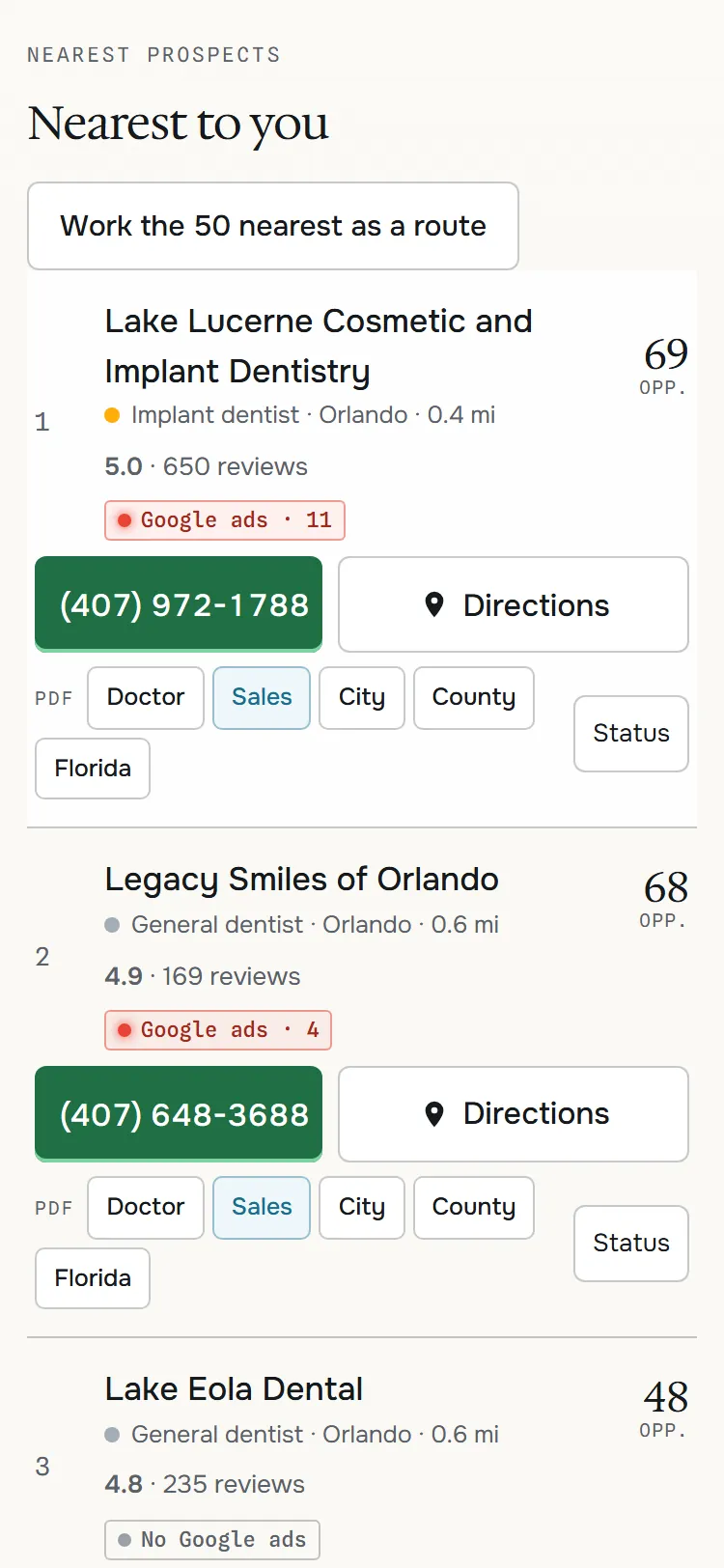
- Where are you. Tap Use my location, or type a city or ZIP. The 10 nearest prospects list nearest first.
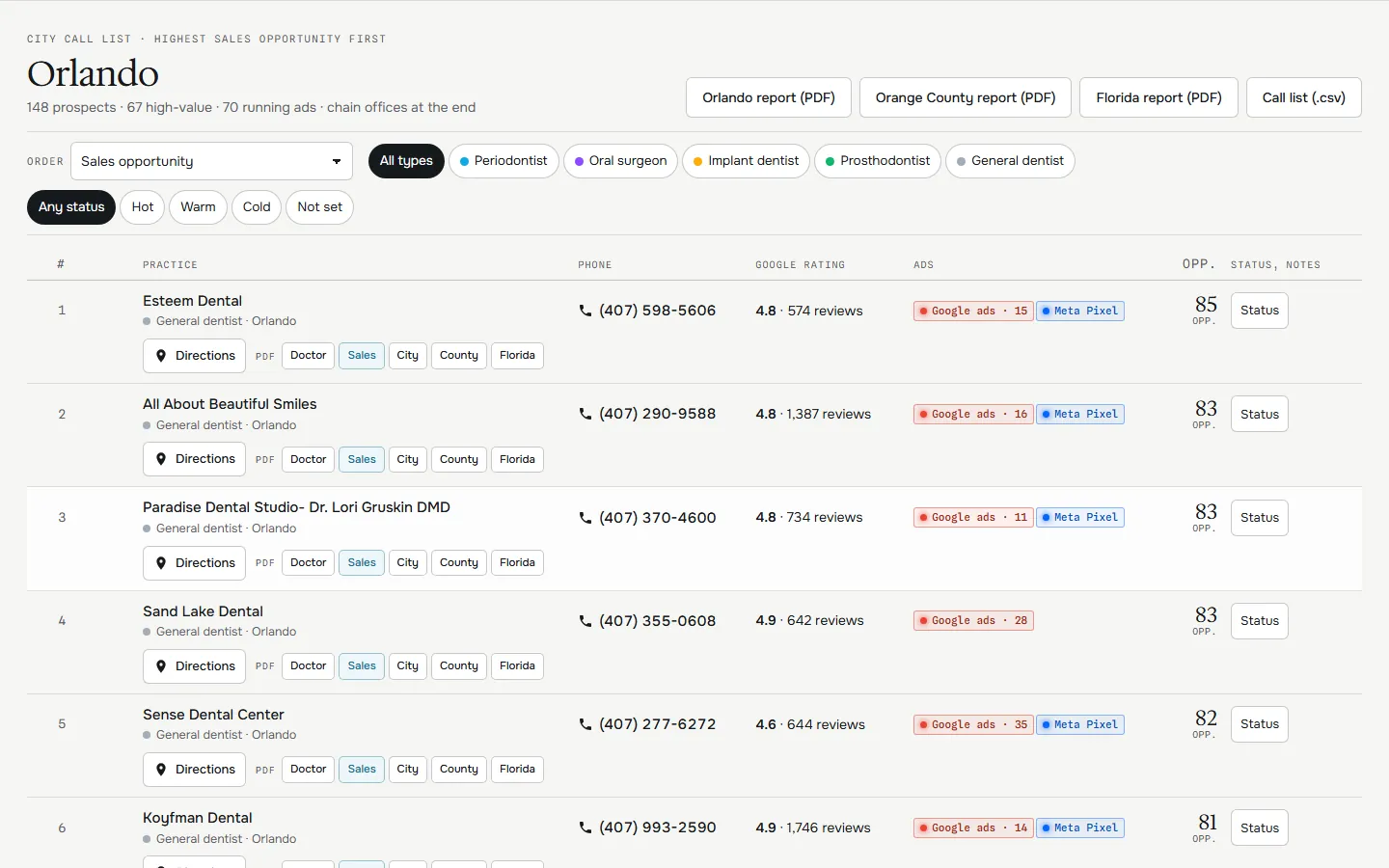
- Work a market. Tap a top market or a county, or find a city, county, ZIP or doctor. The map zooms to it and the call list holds every practice there.
- Order. Route from you (the nearest next stop each time), distance, sales opportunity, score, reviews, running ads first or not advertising first.
- Filter. Doctor type and status.
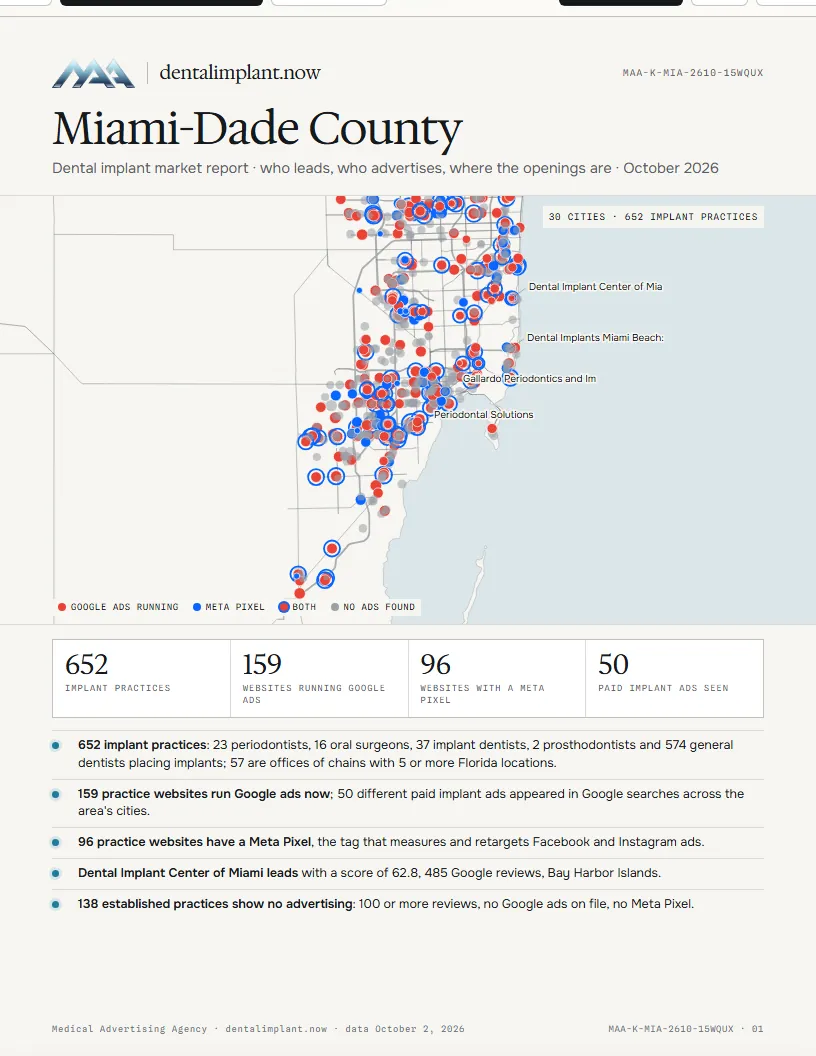
- Map. Every practice in Florida. Tap a point for its card: Call, Directions, Doctor report, Status and notes, Open dossier.
- Open a doctor. Tap the name or the row for the sales dossier.
- Download. Call list (.csv): the list on screen with phone, email, website, Instagram, Facebook, address, ads, opportunity and links.
3
Reports
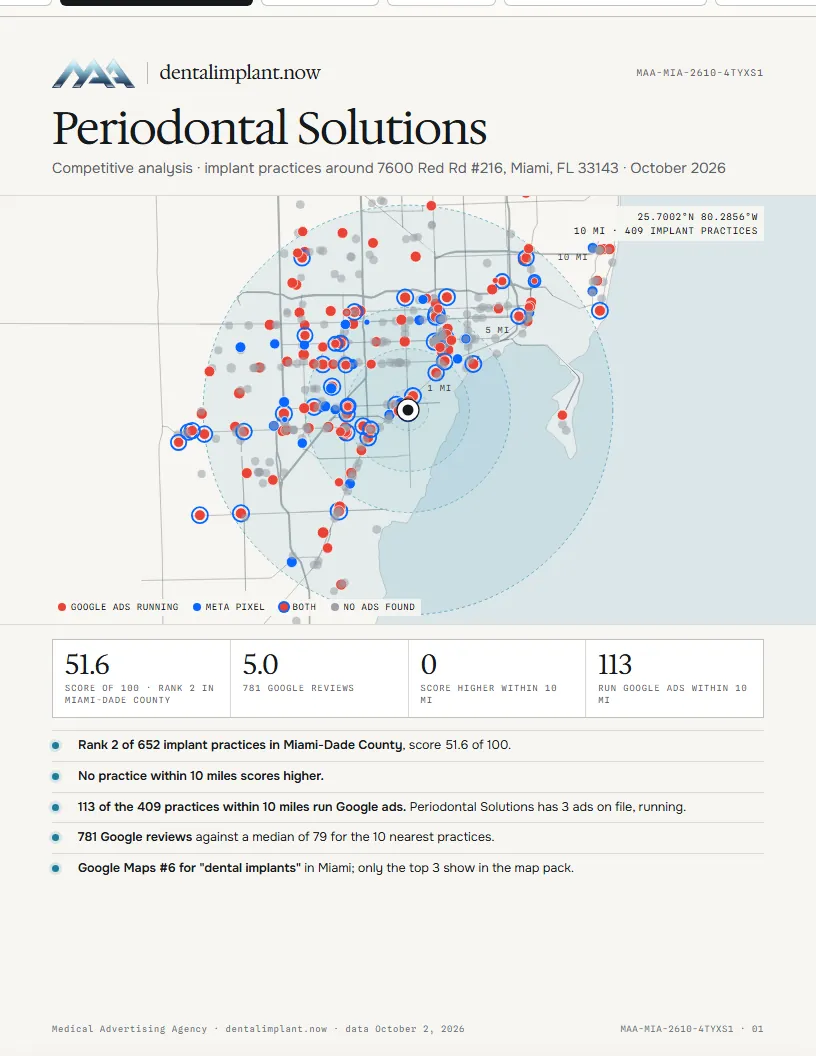
Every doctor row has five reports, one tap each. A report opens as a page with a toolbar: switch report, Download PDF or Print. Nothing prints until you press a button. Each PDF is a few pages and under 2 MB.
| Report | For | What is in it |
|---|---|---|
| Doctor | The doctor | Map of the practices around them, score and Google position, SWOT, the 10 nearest and 5 strongest competitors with reviews, Google ads, Meta Pixel, website size and social, the paid ads near them, competitor websites |
| Sales | You | Sales opportunity and its four parts, what to pitch, phone, email, social, directions, who they lose to and their ads |
| City, County | The doctor or you | Map, leaders, who wins Google, the ads and who pays for them, established practices with no advertising |
| Florida | The doctor or you | The same for the whole state, with the largest markets |
4
Contact tools
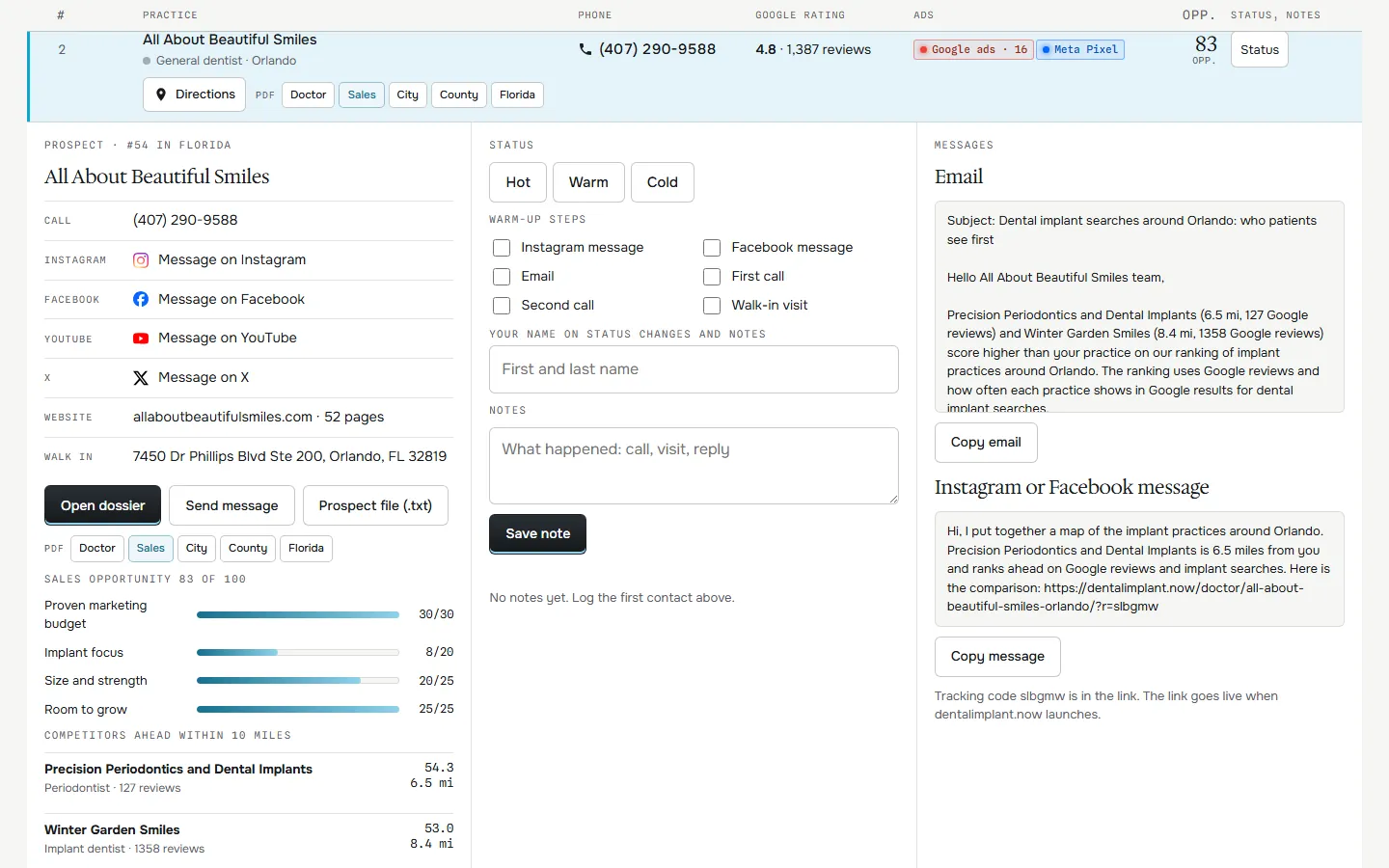
- CallTap the phone number.
- Walk inDirections opens Google Maps to the office.
- EmailWhen the practice website publishes one.
- SocialInstagram, Facebook, YouTube, TikTok, LinkedIn and X profiles linked from the practice website.
- Send messageThe phone's share sheet with a ready message, or an email draft.
- Status and notesHot, Warm or Cold, six warm-up steps and notes with your name and the time. They save to the team database; every rep sees them in the list and on the map.
5
Login and exit
- Log in at /sales/login/ with the team password, or from the login box in the site footer. The session lasts 12 hours.
- Exit sales, at the top of every sales page, logs out and returns to the public site.